
Invoices for graphic designers
List the logo package, show what the fee includes, and add separately agreed revision work. Review your totals and download a PDF without signing up.
The example uses fictional businesses and illustrative rates. Enter your own details in the guest editor.
One completed project
A logo package, with one agreed extra round
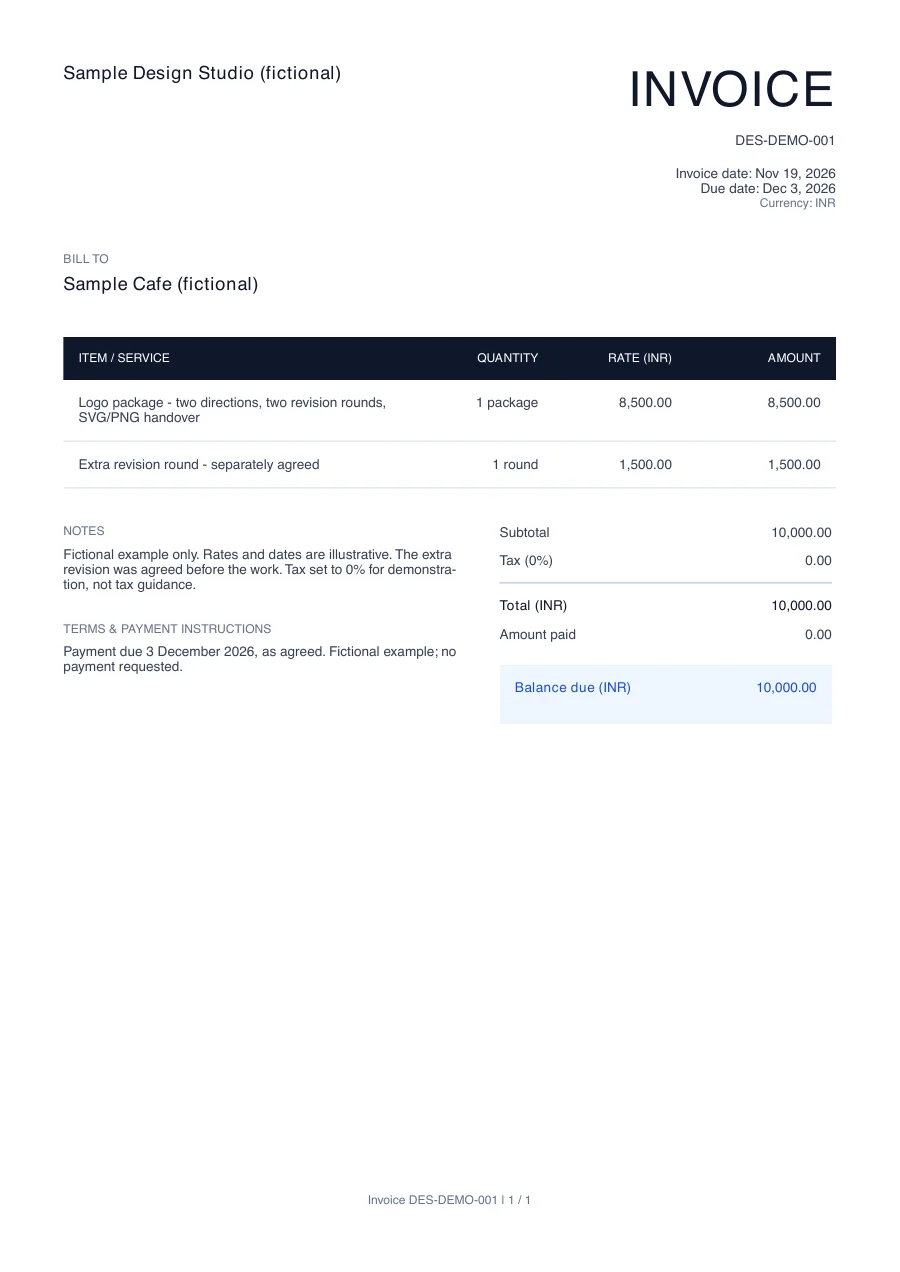
In this fictional example, Sample Design Studio bills Sample Cafe for a logo package: two initial directions, two revision rounds, and final SVG and PNG files. The client separately agreed to pay for one additional revision round before that work began.
Scroll across the table to see quantities and rates.
| Design work | Quantity | Rate | Amount |
|---|---|---|---|
| Logo package — two directions, two revision rounds, SVG/PNG handover | 1 package | ₹8,500 | ₹8,500 |
| Extra revision round — separately agreed | 1 round | ₹1,500 | ₹1,500 |
| Total and balance due (INR) | ₹10,000 | ||
Sample invoice DES-DEMO-001 is dated 19 November 2026 and due 3 December 2026. It assumes no payment received, discount or shipping. Tax is set to 0% solely to demonstrate the calculation; use the tax treatment that applies to your business. Scope, rates and dates are illustrative.
Put the agreement into the right fields
- Description and notes
- Name the deliverable and file handover. State which revision rounds the package includes. Use notes for scope details that would make a line item too long.
- Unit, quantity and rate
- For the package above, use package, 1 and 8500. For the extra work, use round, 1 and 1500. For hourly work, enter your recorded hours and agreed hourly rate instead.
- Separately agreed work
- Confirm the extra scope and price with your client before doing it. Then put it on its own line. Invoiceo calculates the entered amounts; you decide what was agreed.
- Due date and payment instructions
- Enter the date and instructions you agreed with the client. Check the invoice number, currency, recipient and totals in Review invoice before downloading.
For all the entry steps, follow the freelance invoice walkthrough.
Keep details for your next client project
With an Invoiceo account, you can save invoices and reuse saved business and customer details when the next job is ready to bill.
Create an accountStill agreeing on the design work?
Start with a quotation for the proposed scope and price. In the account workflow, you record the client’s acceptance; an eligible accepted quotation can become a linked draft invoice.
Compare a quotation and an invoiceQuestions about design invoices
Can I create the PDF without an account?
Yes. Enter your business and customer details, add the design work, review the invoice and download it through the guest editor. A draft saved in that browser is not an account backup.
Can I bill by the hour or by the project?
Yes. Use one package at the project fee, or enter your hours as the quantity and your hourly rate as the rate. You enter the hours; Invoiceo does not track your time.
Does downloading the invoice send it to my client?
Downloading saves the PDF to your device. Share the file with your client yourself. Creating or downloading it does not collect payment.
Create your next design invoice
Add your deliverables and agreed fees in the guest editor. Check the preview, download your PDF, and share it when it is ready.
Create a design invoice