
Hourly vs fixed-price invoicing: two worked examples
By Invoiceo · Published
For hourly work, show the hours you are billing and the agreed rate per hour. For fixed-price work, describe the agreed deliverable and its fee. The invoice should follow the agreement you made before the work began.
These two fictional landing-page reviews both total ₹6,000. One bills four recorded hours; the other bills one defined project. The matching totals make the fields easy to compare. They are illustrative prices, not suggested market rates.
Hourly and fixed-price invoices use the same fields differently
Scroll across the table to compare both examples.
| Field | Hourly example | Fixed-price example |
|---|---|---|
| Description | Landing-page review and recommendations, with the work period | One landing-page audit package, with its deliverables |
| Unit | hours | project |
| Quantity | 4 | 1 |
| Rate | ₹1,500 per hour | ₹6,000 per project |
| Line amount | 4 × ₹1,500 = ₹6,000 | 1 × ₹6,000 = ₹6,000 |
| Supporting record | Your agreed rate and separately recorded time | Your agreed scope, fee and any approved changes |
The examples assume no discount, shipping or payment received, and set tax to 0% solely to demonstrate the arithmetic. Use the tax treatment and payment terms that apply to your work.
Hourly: bill the time you agreed to charge
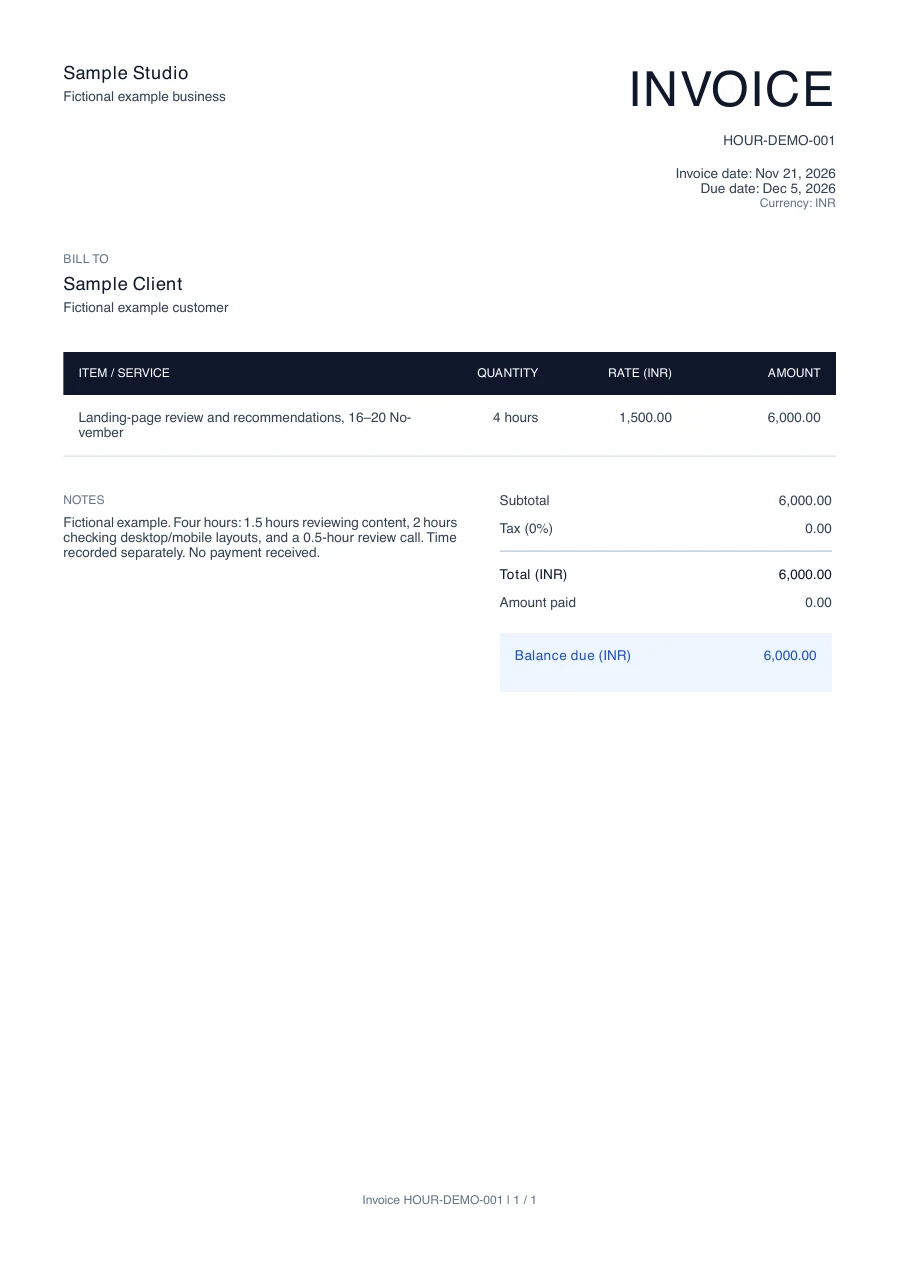
Sample Studio spent 1.5 hours reviewing content, two hours checking desktop and mobile layouts, and half an hour on a review call for Sample Client. Those separately recorded entries add up to four billable hours at the agreed ₹1,500 hourly rate.
On the invoice, enter 4 as quantity, hours as unit and 1500 as rate. Name the work and period in the description. Keep the task breakdown with your time records so the client can check the billed time.
Enter 30 minutes as 0.5 hours, not 0.30 hours. Invoiceo uses the quantity you enter; it does not record your time or decide which hours are billable.
4 hours × ₹1,500/hour = ₹6,000
Download the hourly sample PDFHOUR-DEMO-001. Fictional parties; invoice date 21 November 2026, due 5 December 2026. No payment received.
Fixed price: bill the agreed deliverable
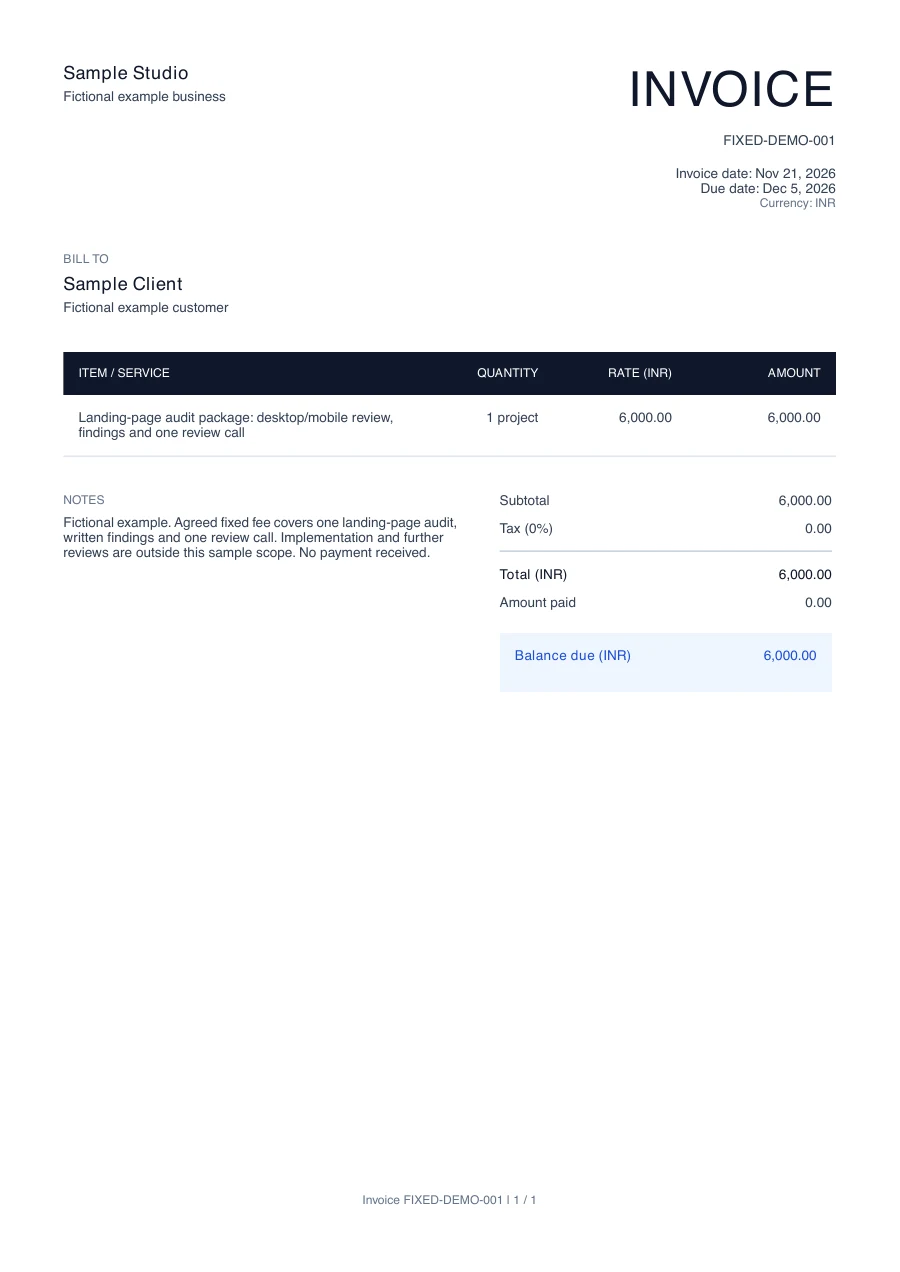
In the alternative agreement, Sample Studio charges a fixed ₹6,000 for one landing-page audit: a desktop/mobile review, written findings and one review call. The fee covers that scope rather than a number of hours.
Enter 1 as quantity, project as unit and 6000 as rate. Put the deliverables in the description or notes. This sample excludes implementing the recommendations and further reviews.
If the client requests extra work, agree its scope and price before adding it to the bill. Do not turn a fixed fee into hourly charges just because the work took longer than you expected.
1 project × ₹6,000/project = ₹6,000
Download the fixed-price sample PDFFIXED-DEMO-001. Fictional parties; invoice date 21 November 2026, due 5 December 2026. No payment received.
Before you send either invoice
- Match the agreement. Check the billable work, period or deliverable, rate, currency and any approved additions.
- Check the calculation. Review quantity × rate, then any actual discounts, tax, shipping and recorded payments. The examples above both have a ₹6,000 balance.
- Check the document. Review the recipient, invoice number, dates, description and payment instructions in the final PDF.
- Keep the supporting records. Save your time breakdown or approved scope with the invoice. Downloading a PDF does not send it or record payment.
For several separately priced deliverables on one document, see our website project invoice example, with discovery, build and handover rows.
For a deposit or staged project, agree what amount is being billed at each stage and describe it clearly. These examples bill the full agreed amount once; they do not demonstrate automated milestone or recurring billing.
Choose the billing basis before creating the invoice
Hourly billing can fit work whose tasks may change when you have agreed how time will be recorded and reviewed. A fixed fee can fit a defined deliverable when you have agreed what is included and how changes will be priced. Neither model removes the need for a clear scope and payment agreement.
If you are still proposing the work, start with a quotation. Our quotation vs invoice comparison explains the two documents. The quotation-to-draft-invoice workflow shows the saved account steps after approval.
Further reading: Upwork’s explanation of hourly and fixed-price contracts. Its time tracking, escrow and payment processes are platform-specific; this guide demonstrates Invoiceo invoice fields.
Create the invoice that matches your work
Use Invoiceo’s guest editor to enter your own details, hours or project quantity, agreed rate and dates, then review and download the PDF without signup. For the full field-by-field example, read how to create a freelance invoice.
Create your invoice